This activity is for middle school or high school history students. The purpose of this activity is to assess students’ research skills as well as creativity and critical thinking.
The activity asks students to choose a historical figure to create their own book about on Book Creator. Students are given a list of possible historical figures but are encouraged to pick their own if they desire to present a book on someone not listed. Giving students room to choose their own historical figure allows students to explore what people in history interest them, but having a set list allows for some students who may not be comfortable looking for someone on their own, to have options to explore.
The assignment asks students to critically engage with different sources they come across in their research, and the final section of the project asks students to think about the historical figure and share their own perception of the figure.
The book I created in Book Creator is meant to be a guide for students on their projects. It includes information on citations, research, and the requirements for the student to follow with their own books. This is a source that students can continue to go back to as they work on their projects. Check it out below:
This journey began long ago and started with some rather odd beginnings, but somehow this is where it all ended up. Me, Adamm White Eagle Creel, becoming an elementary school teacher!
Who could have thought, that a 40 year old former Army soldier and former long haul trucker could become a rad teacher? Well, I mean I did, and had to struggle to get here, but it was worth it!
Along the way I learned a few new tricks to enhance my teaching potential, and incorporate technology into the mix. I would like to showcase some of that here:
Just like with Star Wars the sequel is the best of the trilogy (to be clear, that is the original trilogy) this is a great mini lesson that I made thinking of a 3rd grade classroom trying to help Maya, who is NOT a fictitious bird, rather she is my support parrot. Over zoom classes she has been constantly on my shoulder and it was only fitting that students learned more about her, so I set up a 3 part series about her. This part uses maps to show where Quaker Parrots come from. And sadly, where they are banned as pets in the US.
Summertime road trips, what isn’t to love? As a former long haul truck driver I have driven all across the US, so I thought a lesson to label the states would be fun. So I put together a Jamboard activity to let students see how well they could do labeling the states on a blank map. The hardest part was making so many little sticky notes to move around, but the end result was worth it in my opinion.
This lesson was basic for a reason, but I think it does the job well. When learning new concepts having the different colors for things adds layers to the understanding. With the vocabulary words highlighted in the same colors used in the activity this was less done to make things “easy” and more done to build scaffolding to increase understanding. I attempted to use the colors closest associated with the words. There is also an option to print the sheet and color it in! See, learning can be fun!
I love to teach people new things, and learn new things. I am just sorry that I didn’t become a teacher earlier so I could help some people that really needed it:
Enhancing student learning using technology has always been an interest of mine. Over the past semester, I have been introduced to many new tools to add to my teaching toolbox. In this class, I have been able to improve my skill in adding technology to my methods of teaching math. I have been challenged to design lesson plans that enhance student learning and seek to challenge students to use higher-order thinking using useful technology. Furthermore, I have been able to envision lessons that introduce math topics in a way that is applicable and relatable to their own lives.
This past year has also been a challenge with envisioning using new tools to keep up the quality of student learning with the limitations of teaching online. Many of the technologies I have learned about are great tools for teaching new topics and assigning work online. I have been able to design work that adds visual elements to learning while challenges students. I have also been able to use tools that will give students individualized feedback and allows students to be creative and design their own projects.
While I may be a bit outside of the educational sector due to my main focus of study being within the field of biochemistry and french (and not education itself), I am still fascinated with the act of teaching and the best way to go about doing so. As a student and peer educator, I am always open to new ways of learning and sharing those processes with others. Through this class, I have been able to gain invaluable skills in using and applying digital tools. Some of these I have even started using for other courses.
In this ever-increasingly digital era, it is important to be familiar with digital tools, like those utilized by this course. While I have had practice with some of these tools, there were others of which I had never even heard. Over the course of this semester, I was able to explore these tools and gain confidence in my use of them. Previously, I would have described my understanding and use of technology as “beginner” or at best a “working-relationship”. Now, I consider myself closer to “novice”.
In my projects, I attempted to apply the digital tools investigated to theoretical lessons related to chemistry. The following works are ones I am particularly proud of and I believe show how I have improved my abilities in the digital world.
The first I’d like to showcase is the Google Site I made on acid-base chemistry. Through this site, students are given introductory and concluding activities, a general knowledge of acid-base chemistry, as well as a brief mention on the applications of such chemistry in the “real world”. Many fun (educational) videos are included too. I am rather pleased with this post due to how well all of the information in parsed out in small bits, making it easier to digest.
Creating “Solutions: How Basic Are They?” made me feel the most like a teacher. As a peer educator in Chemistry, I get questions all the time about calculating pH for a given solution. This post allows me to answer those questions with ease. This resource emphasizes active learning while also allowing the student to tailor it to his/her needs. I am rather proud of it because it utilizes two (or three if you count WordPress itself) digital tools: Jamboard, which was introduced in a previous lesson, and Loom, which was the main focus of this lesson. This activity asks students to watch mini “lecture” videos (recorded via Loom) regarding the calculation of the pH of a solution and then apply that knowledge to practice problems. They can then check their answers by watching the corresponding solution video for each problem. If the students don’t understand where they went wrong, they are asked to refer back to the videos or even a Google Site containing information on acids and bases (which is found in a previous WordPress post).
Finally, I’d like to highlight the book I made through Book Creator. I had so much fun writing and creating “Aqua& Fina: A Tale of Chemical Adventure”. Chemistry tends to be viewed in a negative light. I thought a story might help change that perception (because who doesn’t love a good story?). I hope this would be used in a classroom as a model for a project where students come up with their own fun illustrations explaining a chemistry topic. However, it can also serve as a way for students to think critically about the chemistry they have learned through the discussion questions provided while at the same time adding a little more fun to the subject.
Starting off a new year, with new parents and new students is always fun. Getting to know people takes time, and is one of the best parts of being a teacher for me!
Here is a little book about me so you can get to know about your teacher. I am looking forward to learning more about each and every one of you throughout the year. Having a library of these books about everyone in class sounds like a great library to me, as well as something to look forward to this year!
For this post, I decided to make an example of a recipe book. This lesson could be for any grade between 3rd and 5th grade. Students are required to include an ingredients list, a grocery list, and the steps with pictures and captions. I’ve also included a section for tips and would encourage them to include this as well if they can think of anything.
Students are supposed to take command of this lesson, not just sending parents out for groceries, but helping and picking out themselves with help.
The purpose of this screencast is to show kids how to create an OverDrive account using their own address for free! Overdrive allows students to access hundreds of thousands of audiobooks and ebooks for free. It is an awesome tool in covid times when you can’t go to the library, but it’s also helpful anytime. I’ve been using it for about 6 years and have used it to read over 500 books.
It is great for getting students exposed to all kinds of books for free. They can try out different books and if they don’t like them, just return them and find a new one within minutes. Also, as a student with dyslexia and ocular motor disorder (a birth defect that prevents eyes from tracking together), I relied on audiobooks when I was younger. At the time, I could only go to the library to loan books out, but OverDrive would’ve been a great resource for me, so I know it can be an amazing resource for all kids!
I am shocked at how many people do not know about OverDrive, and I am constantly showing my friends how to sign up. So, hopefully, this is helpful for not just students, but everyone!
Overdrive is available for iPads, iPhones, and most other smart phones. Unfortunately, it is not available on computers yet. However, in order to read the books that are not audio books, you do have to also have the kindle app, which is available on computers. Hopefully, if a student doesn’t have direct access to their own device, a parent will be happy to give their child access to reading on a family device or even their own devices. And for some schools, iPads are given to all students.
Directions:
Grab a parent or guardian
Open up your app store
In the search Tab type in Overdrive
It should be one of the top search options, a blue icon with an O in the middle
Click on it and download the app with the help of an adult
Once it is downloaded, open the app
You should see an option to sign in or sign up, click the signup
Next, you’ll see an option to put in your library card or sign up without one
Using your name, email, and a password, sign up for your overdrive account
The next page should show a spot to add a library, click that and add your zip code
When it shows you all the library options scroll down to M and search for the first Multnomah county option and click
This should take you to their overdrive homepage, at the top there should be an option to click create library card
This will take you to a new page and you should click apply now
Enter all the information with the help of an adult
Head back over to your overdrive account and use the credentials you just created to sign in to your account
Read and listen away!!
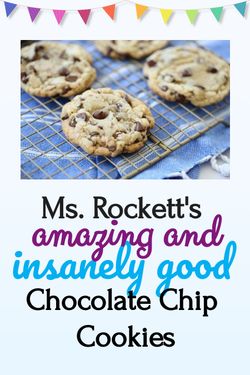
A few book recommendations from Ms. Rockett:
Smile by Raina Telgemeier
Holes by Louis Sachar
Esperanza Rising by Pam Muñoz Ryan
Freak the Mighty by Rodman Philbrick
Out of my Mind by Sharon M. Draper
Al Capone Does my Shirts by Gennifer Choldenko
I am Malala (Young Reader’s Edition) by Malala Yousafzai
The Secret Garden by Frances Hodgson Burnett *My personal favorite from when I was your age!)
I believe technology is a vital tool that can unlock so many new possibilities, especially within the classroom. This is evident by the increasing omnipresence of technology in the student experience. This past year in distance learning has truly put technology to the test. While it is an incredible testament to the modern era that classes were able to continue virtually, learning based entirely in technology was not without its severe challenges. From Zoom fatigue, to blue-light induced headaches, to the endless distractions of the Internet during online classes, it is clear that technology in education has its limits. Too much of a good thing can, indeed, be a bad thing.
Therefore, it is vital that educators are intentional about the types and frequency of technological tools used in the classroom. My belief is that technology should not be used to simply replace traditional educational tools, but it ought to expand beyond previous capabilities to create new opportunities for student growth. With this philosophy in mind, the posts that make up my portfolio each use technological tools to extend beyond the restraints of traditional in-person tools in order to more effectively teach key Social Studies concepts.
First, my post “A Supply and Demand Story: Differentiated Google Form” allows students to choose their own adventure in setting up a shop, and the online format provides them with immediate feedback to their answers and corresponding resources. Google Forms allows me to automatically differentiate my content based on the interests and needs of each individual learner, which would be an otherwise very challenging task to do in real time.
Another of my posts, which is entitled “Visualizing A Holocaust Survivor’s Journey,” connects abstract names and ideas to specific places on a map through the use of Google MyMaps. When discussing history (especially World History) it is often difficult for student to connect abstract concepts or facts to the actual, concrete places they took place. Students follow the journey of Jakob Blakinsky, a Jewish survivor of the Holocaust, as he was moved to various concentration and labor camps. Discussion questions and additional resources accompany each location on the map, providing students with a clearer picture of important historical concepts.
Lastly, my post entitled “Unsung Stories of WWII” uses Google Sites as a central hub to encapsulate several different technological tools that expand learning. This technology allows students to engage with the content in real time, both individually and collaboratively. It provides them with links internet resources and multi-media videos to appeal to different types of learners, and it also includes a Google Form that elicits quick responses to gauge student understandings. In these ways, the online format of this lesson on Google Sites expands beyond the capabilities of a paper-and-pencil lesson.
This activity using Google MyMaps is focused on the capitals of Spanish speaking countries. This is ideally for an upper level Spanish class as they will be making observations about the countries capital and reporting to the class about their “day” in the city.
Instructions for Students:
Students will be asked to select the capital of a Spanish speaking country where they will be spending their ideal day. They will use Google MyMaps to report on what they saw in their capital and show us exactly where they went. They will report on historical landmarks, architecture, art, and whatever else they find key to experiencing a day in the life in their capital by using MyMaps to take us on their virtual tour.
Goals:
The goal of this unit is to immerse students in Spanish speaking countries in the most authentic way possible. Student will be able to explore the differences in architecture and historic sites compared to the United States by using MyMaps to take them on a tour for a day. They will be able to add photos of their landmarks and show us where they went and what they learned in an interactive way and could explore others work by using a map for the whole class.
CCSS.MATH.CONTENT.3.OA.C.7 Fluently multiply and divide within 100, using strategies such as the relationship between multiplication and division (e.g., knowing that 8 × 5 = 40, one knows 40 ÷ 5 = 8) or properties of operations. By the end of Grade 3, know from memory all products of two one-digit numbers.
This lesson should help 3rd grade students learn a simple, and magical method for multiplying by 9 up to the 10s place. Larger numbers are scary at times, but the number 9 has some magical properties that help it to be less scary!
When deciding to pursue Elementary Education with an emphasis on English as a Second Language (ESL), I knew that I wanted to impact the lives of my students. I can see myself as a young student, a child of Filipino immigrant parents, in the students in my future classroom, and it brings me joy to see them grow, especially knowing that I can aid them to my best of my ability. In my ED 424 class, we focused on ways we can utilize technology to create fun and easy ways students can learn online. Learning to teach during a pandemic has been difficult, but this class opened up so many applications that are kid friendly and are up to date with the growing technology. Some of the lessons using technologies I learned in this class are listed below:
This lesson utilizes WordPress as a lesson to teach short and long vowel sounds to both English learners and general education students. This application emphasizes the use of visuals in order to understand vowels and their sounds that correspond with the picture. This was a simple lesson that is easy to follow along at any grade level.
This lesson utilized Jamboard, a new application that is becoming popular within elementary and public schools, for it being almost an elevated Google Drawings. In my classroom, Jamboard would be an application that would be used frequently because of it’s versatility. In my lesson, students would open up Jamboard in the start of every math block and complete several ways to count the daily number given. For example, there are tally marks, blocks, a number line, etc. that students would use as a warm-up for the unit lesson for the day.
This activity uses Google Drawings as a fun way to let student’s creativity run wild. This would be a seasonal activity where the students would have to create their own snowman for display in the classroom. Students are able to choose from a variety of different components that make up a snowman (eyes, carrot nose, scarf, twig arms, etc.) Students are able to showcase their individual styles while also having a blast.
This activity is geared more towards upper level grades such as third to fifth grade. This Morning Check-in utilizes Google forms. This can be used both remotely and in person, where the first thing students do when they log on is fill out this form. This is a perfect way for students to assess their wellbeing and progress in class, as well as for teachers to keep an eye on their students. This allows for a private way students can reach out to their students when obstacles come their way. Teachers are able to keep track of their student’s feeling and mental health that isn’t outwardly expressed.
This activity is also meant for third to fifth graders, as MyMaps or Google Maps are more on the advanced level to use. This activity could be perfect in an ESL classroom where many different culture are put together in one room. This activity allows the students to locate where their family is from and to do some research about their culture and ethnicity. This is a perfect way for students to have a good social studies lesson blended in with some culturally responsive self discovery.
This lessons incorporates videos of different strategies to complete an addition equation. This could be utilized in a remote classroom by giving the students a way to refer back to our lessons, and a way for parents to keep up with the content their child is learning so they could aid them if they need help.
This lesson makes learning colors for Newcomers or new English learners fun and easy. It includes a voiceover for students that have a hard time reading, and could understand better through hearing instead. This book could be used remotely, and through all age levels, for the visuals are relative to any culture or age group.
This screencast is a brief YouTube video that I pushed out to 9th and 10th Grade Geometry students in the middle of our Similarity and Congruence Unit. This was intended to give students a chance to review Similarity Flow Charts and was released with practice HW.