Final Project: HP²

For our final project, we created a pollination lesson for first grade students. The lesson is part of a larger unit, with our presentation being lesson 3 of the unit, and focuses on different kinds of pollinators and their roles in pollination.

Students will work in groups to analyze a pollinator by using Thinglink to research in a group and share their research findings with the class by posting on Padlet.

Thinglink is a great tool for these kinds of projects because it allows content to be presented in multiple ways, and it can incorporate many types of media. In addition, Padlet enables students to record their research, share their findings, and explore other groups’ information, while also allowing the teacher to observe student learning.
MyMaps Final Presentation

This is a Co-Post by Caroline Halvorson, Ysabelle Saguin, and Rylee Seekins

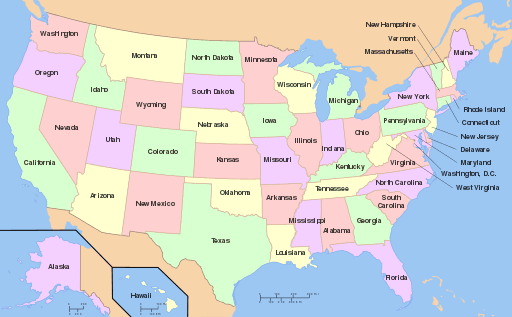
We presented to teachers about how to use MyMaps as a tool in different classrooms. The goal was to have a general understanding of how to use the tool as well as different ways it can be applied. The variety of uses can improve any lesson that incorporates maps, particularly in social studies. Geography and political climate can be studied using this tool as well as historical landmarks. This is an easy to utilize tool in a 3rd-5th grade classroom.

Final Project: Genre Studies

By: Samantha Laughlin & Sabrina Pangelinan

For our final project, we created a lesson for 3rd grade students. This lesson is intended to be part of a larger unit on genre studies. This particular lesson focuses on the Folk Tale genre and explores the different types of tales, or sub-genres. Students work in groups to explore one type of Folk Tale. Each group is given a ThingLink with a variety of different resources to explore. Students will work within their groups to analyze the information provided within the ThingLink and then record their responses using Padlet. A link to Padlet has been provided to each student that has questions posted for each sub-genre. Students will record their responses in real time and will be able view each groups’ answers. This information will be gathered and used in a next lesson that explores the entire genre and involves group discussion.

Thinglink is a great tool for this project because it allows content to be presented to students in a variety of ways. In our ThingLinks, students are given multimodal access through pictures, videos and textual information. Padlet allows students to record their answers, share their information and view the other groups’ findings. This is an easy outlet for students to record their information and for the teacher to observe and respond in real time.

Explore your genre below and record your answers here: https://padlet.com/jessbri31/dmkkub93jx2w

Legends

Fables

Tall Tales

Fairy Tales

Myths

Final Project

By Lauren Alvarez and Audrey Muller

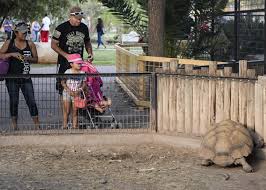
Our final project aims to help students practice their debate skills in the form of a meme. This lesson is designed for fourth grade students including a variety of research materials. Students will be able to form an opinion on the morality of zoos, create a visual defending this, and share it with the class. Before class, students will read, watch videos, and take notes about the pros and cons of zoos. They will take a stance on either side and find a partner in class. Pairs will create the meme together, using Adobe Spark, sharing it onto Padlet when finished. Adobe Spark allows for students to practice these skills in a non-conventional way. Debates do not have to be verbal, these memes can be just as moving as words. This website would be a great resource for accommodations so all students can demonstrate their learning. Padlet allows for the class to see everyone’s opinions on the zoo debate and see if more students are pro or against zoos. All the memes will be in one place and easily accessible. This lesson could be built upon resulting in a persuasive essay or research project.

Final Project: Teaching Health with Thinglink and GoogleSlides

This project was made for third grade students learning about health and nutrition. This lesson’s goal is to teach students the nutrients in the food groups, why they help us, and how to apply that knowledge to make a healthy meal. Through the use of Thinglink, students will practice guided research with a partner to find out what nutrients do for our bodies by following links to watch a video, listen to a song, read short informational pieces, and play games. Then, using Google Slides and the new information they have discovered, they will collaboratively make a healthy meal for an imagined Olympic athlete on one slide of a class presentation by searching for and inserting pictures of foods into the designated portions on the plate.

The technology enhances this lesson because the Thinglink site holds all the information the teacher wants the students to find, and the picture background provides a basis for what nutrients the foods connect with. It lets the students feel that they are in charge of their own learning and will get them engaged when they can explore and have options using a computer. The google slides presentation allows the whole class to work on the same page at the same time, collaboratively. It also makes it easier for the teacher to grade and monitor as the work is being done. Working with a partner on the same project on different computers makes the learning individualized and collaborative at the same time so students can work at their own pace but get insight from the students they’re working with.

Edpuzzle – George Washington

I really enjoyed using Edpuzzle to make a lesson on George Washington. I found it pretty easy to insert my quiz questions. I also really enjoyed how the video stops and the questions pop up. I liked how you could crop the video to the length that you wanted it. I could really see myself using this application in my future classes.

Equity for All Students- Edpuzzle

For this project, I used Edpuzzle to show a video about equity for all students. I thought that it was very easy to use and add questions within the video. I liked the different choices that you can use to ask a question. I did have a hard time finding a video to use for this, but once I did, it was very easy to do the project. I would definitely use this app again.

Edpuzzle: Non-Fiction vs. Fiction Books

I decided to use Edpuzzle to present the differences between a non-fiction book and a fiction book. Edpuzzle is a great resource to present informational videos and allow students to answer questions as they watch the video! You can crop the video to remove unnecessary clips, you can record yourself talking throughout the video if you don’t like the way the narrator of the video presents the information or you can add audio notes throughout the video (the video will stop to make the viewer listen to it), and you can add open-ended questions, multiple choice questions, or make comments throughout the video. Also, you can access different channels on Edpuzzle, so there are many choices! Overall, it is a great tool that I will definitely use in my classroom so students can be engaged with the video rather than just watching it.

TEDED: Oceans and Climate Change

TEDED is a fun app that enables you to take a video from YouTube and add questions about the content. You are able to write multiple choice questions and free response questions for the students to answer. These questions are designed to be answered after the students have already viewed the video. If they get the question incorrect, a hint is provided, sending the student to the correct place in the video to find the answer. Within this app, there is a discussion portion. Students can add comments about what they learned and bounce ideas off of one another.

At first I was disappointed that the questions did not pop up as the video played, however this is a good way to test student comprehension at the end.

I created a TEDED video about our oceans and how climate change is affecting them. Enjoy! 🙂

EdPuzzle

In this EdPuzzle, I used a math video and added quiz questions to engage viewers while watching. I loved how easy this was to insert your own questions, find educational videos, and collect the data from students. I think being able to prevent skipping ahead in the video, using multiple choice and open ended questions, and adding audio (which I didn’t do in this video), would be a great tool to give students extra help, use as a formative assessment, or even as homework for reviewing a lesson. I also think making quick videos like this would act as good pre-assessments, if you were to assign a video to students a day before you were to start teaching a new lesson, it be a good way to introduce a topic. The teacher site is very helpful and easy to use, allows you to see how far students got and their scores, and assigning a due date. I can definitely see myself using this if I am in a classroom/community where computers are available!

Jupiter and Edpuzzle

I choose to make an EDpuzzle. I really liked this site. I think this is a new way the students to be interactive with a video. Also a great way for teachers to assess their students for comprehension. Also having the questions through out the video makes the students pay attention during the video. As for making the video it was simple and easy to use. You all all videos at your fingertips, which is great because then you don’t have to do an extended search for a video you might want to use. 10/10 would say that any teacher could use EDpuzzle and it could use used in almost any grade.

ED Puzzle: Biomes

[embedit snippet=”biome”] 

I really like this Application called EdPuzzle. It allows for you to take a video and create Questions though out the video to keep the students engaged. They have the option to create Multiple- Choice, Short-Answer, Comments, Voice Over, and Audio Notes.

I could see using this is my biology classroom for Homework. Having students watch videos online at home and answer these interactive questions I have and submit there work online. This would allow me to keep accountability for the students to make sure they watch the entire video.