All About Me Book Lesson

I chose to use a Google website and then added other technologies within the site for the content for my lesson. My lesson is about a ELA lesson where students will make a book called All About Me Book. My goal was to create a site that is user friendly and easy for my students to access the information at the pace they need to. I also wanted my Final Project to be creation that was easy for me to access and teach with. I like that all of my content would be in one place. I think it would be very easy for students to work on this assignment at their own pace. I also like that I could just use this to help direct my students rather than having all of my materials being everywhere. So I created a website that includes all of the materials to create successful writing lesson.

My target audience is for my students who would be in 1st grade. This lesson would be taught at the beginning of the school year because it can serve as a writing lesson but also as class bonding. This site would also be for guardians and parents but the actual activity would be for my first graders. The families can go on it to help them with what their kids are working on if they have questions. I will use and read the book I created on Book Creator that is all about me on the first so the students will be able to get to know. The students will be given access to copies that are blank of the final product that I created through Book Creator to make an All About Me Book. I also used Padlet to help students with each page. The Padlet creation takes students through each page and tells them what to include in this page as well as an example. I also like this lesson because I will be able to get a basic idea of my students writing. I will be able to see if they were able to meet the ELA Standards in Kindergarten.

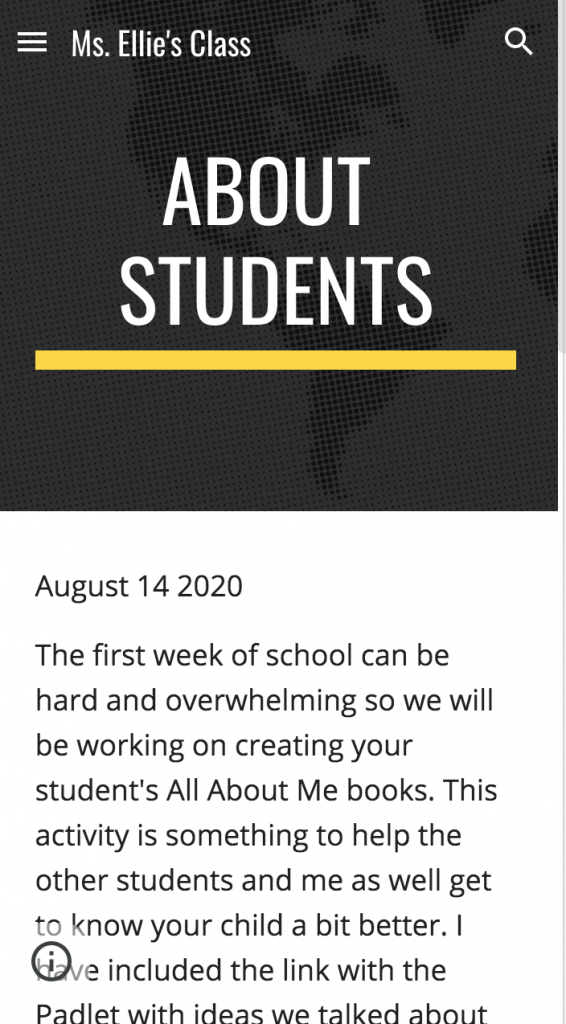
My target audience is for my students who would be in 1st grade. This lesson would be taught at the beginning of the school year because it can serve as a writing lesson but also as class bonding. This site would also be for guardians and parents but the actual activity would be for my first graders. The families can go on it to help them with what their kids are working on if they have questions.I will use and read the book I created on Book Creator that is all about me on the first so the students will be able to get to know me as well.

The students will be given access to copies that are blank of the final product that I created through Book Creator to make an All About Me Book. I also used Padlet to help students with each page. The Padlet creation takes students through each page and tells them what to include in this page as well as an example. I also like this lesson because I will be able to get a basic idea of my students writing. I will be able to see if they were able to meet the ELA Standards in Kindergarten.

Made with Padlet

Books and Bridges, Oh My!

Target Audience: 3rd Grade

Goal: Students will be able to examine bridges from around the world and share their research by creating a virtual book. Students can then showcase their work to their parents, peers, and my future students!

Part of the Portland Public School curriculum for third grade is a unit about the bridges within Portland. I believe it is important for students to learn about their local area, however, I believe it is critical for students to be exposed to other places in the world, too. For this project, I would like my students to explore the world through their knowledge of bridges. There are three parts to this assignment:

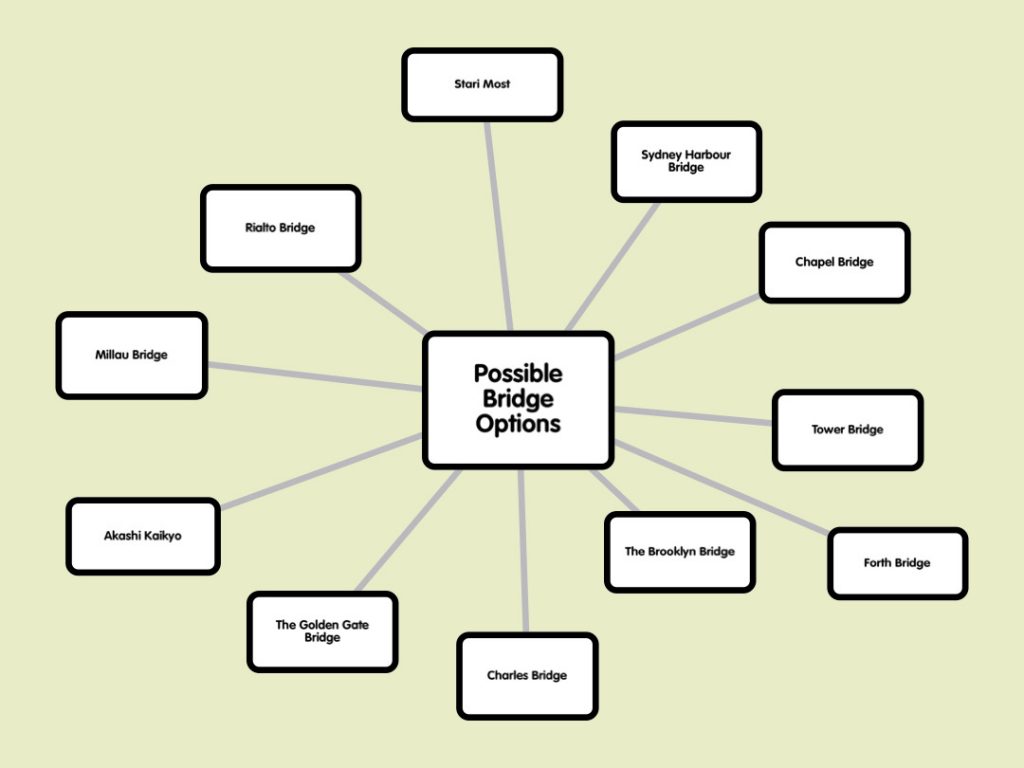
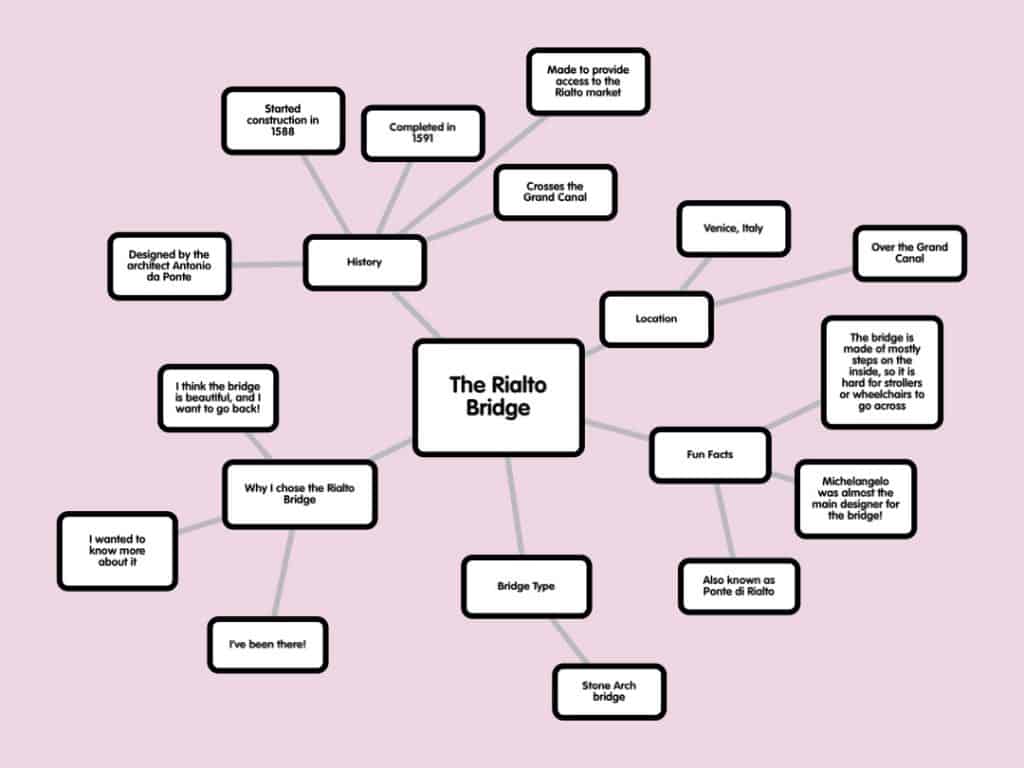
  1. Students will create a mind map using Popplet. Their mind maps will be about various bridges across the world. I will give them some “inspirational bridges” that they are more than welcome to research (i.e. the Golden Gate Bridge, Brooklyn Bridge, etc.), but they can also find a bridge of their own to do more research on. Their mind maps will include:
    1. The location of the bridge
    2. A brief history of the bridge
    3. The type of bridge (i.e. truss, arch, suspension, etc.)
    4. Fun facts
    5. Why they chose the specific bridge.
  2. Students will then create a book using BookCreator about their bridge with the use of their mind maps. Their mind maps will act as their writing outline, so they can easily organize their ideas as they wish. The book will include all of the elements that make up the mind maps, however, they do not need to use all of the details that they have in the mind map (reference my examples to see what I mean!). The students may also add an “about the author” section at the end of the book and write about where they’re from, how old they are, and what they learned from their research. After students create their books, our class will have an entire library of bridges that we can use for the rest of the school year and the years to come! 
  3. Students will fill out a Google Form to provide some feedback for me! 
Created with Popplet

Created with Popplet

All about shapes!

Bookshelf

I really liked using this website to create short stories! For this assignment I did a basic lesson for a kindergarten level class all about shapes. I think this website can be used to teach simple lessons like this one, or more detailed ones. Either way I think it would work well for any type of lesson or story. I can see myself using this in the future for many different things in the classroom. It was very easy to use.

Final Project: Tell Me About It

For my final project, I have decided to create a lesson to teach third grade students about opinion writing. A major standard for third grade writing is about building their opinion writing skills.

CCSS.ELA-LITERACY.W.3.1: Write opinion pieces on topics or texts, supporting a point of view with reasons.

CCSS.ELA-LITERACY.W.3.1.B Provide reasons that support the opinion. 

My goal for this lesson is to have students practice brainstorming for their opinion writing paper and in the end write a paper around their opinion with reason. I will first  utilize Edpuzzle to show them a video of what opinion writing is and what the structure of their paper should look like.

EdPuzzle:

Next, they will begin the brainstorming process. I will have them brainstorm some ideas that they would want to write about. We would spend some time during class to help them brainstorm ideas and reasons that relate to their opinion. I will send them a google document of some ideas that they can write about but they will have to create their own reason for their viewpoint. Of course, they are free to choose their own opinion topic.

Google Document

Whenever the students are ready, they will fill out a google form which asks them to provide me with what they might want to write about. The questions will help me gain a better sense of what the students know and what they might need help on. It will also give me a sense of what topics they might write about and I can help them revise if necessary.

Google form:

Then after, students will have time to use bubbl.us to create a mind map of the information that they will have had to research about their topic. I have create an example of one for my topic and I will provide them with a blank template so they can easily fill in their own information.

Mind map Guide:

Finally, they will present their final draft by creating a short adobe spark video. This platform is easy to use and customizable . Students will be able to add enough writing to the video that will help me understand their opinion.

Here is my example:

Photo by hannah grace on Unsplash

Living a Healthy Lifestyle

For my final project, I created a lesson for fourth grade students. This lesson is part of a larger unit on nutrition and living a healthy lifestyle. My instructional goal for this lesson is for students to work collaboratively to gather information and display it in a creative way. Two ways that they will achieve this goal it to: 1. To investigate what makes a healthy lifestyle through looking at the resources on Wakelet and 2. To compose an acrostic poem, with the word nutrition or lifestyle, using relevant information from their research. For this lesson, students will be working in pairs, so they can discuss what they are learning and how to best demonstrate that through an acrostic poem. There should be computers or ipads available for each of the pairs to have one or, ideally, each student should have one device because on students will be able to share their Adobe Spark page with each other to edit at the same time.

Students will first be looking at a Wakelet that I created with resources around living a healthy lifestyle. They will be collecting information that they think is most important to know when creating their acrostic poem. This will support the students instructional goal because students will be looking at multiple resources and making decisions as to what they wish to include.

Nutrition

Students will show their knowledge, that they gained from looking through the Wakelet, they then will be creating an acrostic poem. An acrostic poem is a poem that a certain feature, in this case the first letter fro every line, will spell out a message or a word. Students can follow my example, by creating one based on and to spell the word nutrition, or they can create a poem using the word lifestyle. This supports my instructional goal because students will have to incorporate information from the Wakelet. Also, students will be working collaboratively in pairs to create their own Adobe Spark page, arranged in whatever way they please, as long as it gets the message across as a type of acrostic poem. If all students have access to laptops, then students can share editing their documents.

Students can share these poems as a presentation in front of the class on the projector, so they can all see what their classmates came up with. This lesson can also be implemented as an outside of school collaborative project, as most students doing distance learning currently. To share students’ poems online, I can put everyone’s work into a folder to share it with the class.


Featured Image by ja ma

Final Project – A get to know you activity

My goal for this project was to create a get to know you tool that would allow students to share information about themselves while also being creative and customizing their presentation. Specifically, I wanted students to be able to create a timeline of their life and be able to include their own pictures, pictures from the internet, videos, gifs, or any website. This presentation was created with my 7th grade class in mind, however, this project could be used with any group of people older than 4th grade and into adulthood.

I used Padlet to create this timeline because of how much a user can customize their timeline. Students can add a custom background image, upload their own personal images or choose images from google, and link to any website or video on youtube. I loved how easy this program was to use, which will allow students to easily create their timelines. I also loved how users were able to link to a website, which allowed me to link to my classroom website. I also loved how I was able to add gifs to the timeline, which was a fun addition that I have never seen on a timeline before.

Made with Padlet

Fractions and Cookbooks!

I created a cook book about fractions in recipes for my 6th grade class. This book would be a collaboration between students and me, where students would create their own pages and then all the pages would be combined into one class book that could be sent out to each family. This cookbook would be the final product of a long project where students would explore how fractions are used in cooking and baking.

All I really Need!

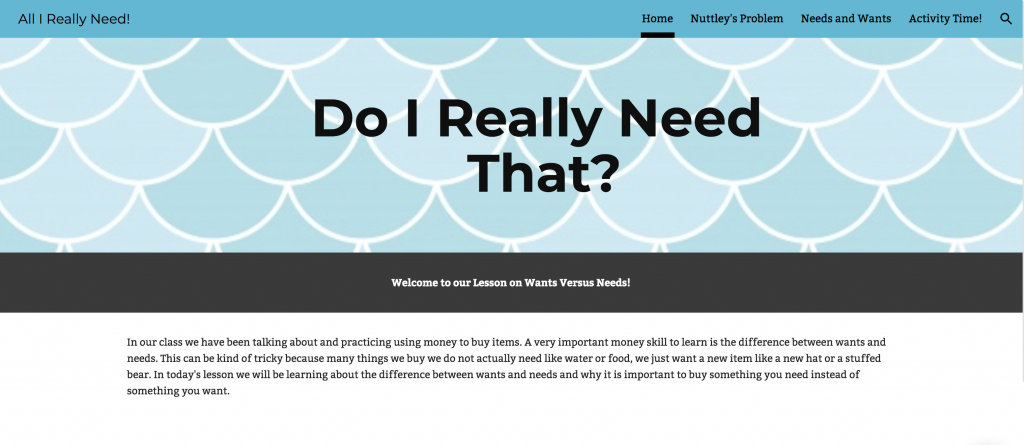
For my final project I decided to create a kindergarten lesson on needs vs wants. I started with the learning target: K.4 Distinguish between personal wants and needs. This website uses many different technology tools to help students better understand the material. Students are given information on wants and needs in the forms of text and videos and are asked to reiterate the information they learn using different platforms. The use of the first technology, a quiz on google slides, allows for the teacher to see if the students understand the material from the video. This section is a pre-assessment as the actual teaching of the material does not come until the next page. Students are given multiple opportunities to share their thinking with the teacher and, in one occasion, the class. The use of multiple assessments and activities allows the teacher to have a better understanding of where each student is individually and give individualized feedback.

I chose to use Google Sites as my main technology tool and platform because I believe it is an easy tool to use that allows for me to structure my content in any way I want. When creating my lesson I strived to make it easily accessible and easy to navigate as I am teaching younger students. This platform can allows for content to be broken up into pages, so students do not get too overwhelmed with the amount of information being presented and can take their time doing the assigned activities. In addition to using Google Sites I used Google Slides, Google Forms, and Padlet to create instructional activities and assessments to aid the information being presented. The use of Padlet gives students who may need a little more assistance a chance to see examples of their classmates’ work and encourages all students to participate in discussions by having a shoutout section. My goal from using these tools and platform is that students learn the material in an easier, and hopefully more accessible, way than with just traditional teaching.

Featured Image by Mohamed Hassan on Pixabay

Students of Room 6 Yearbook

Using Book Creator I published a yearbook for my second grade students and families. Although many schools have yearbooks available for purchase, I think it is always nice to provide students with a more specialized reflection of their school year. My hope for creating this book is that students will include photos of their work and activities that occurred throughout the year. I also hope that students will be excited to work on this collaborative project that incorporates technology!

I think Book Creator was a user friendly resource that allows the for the production of almost anything. The website for this resource is well organized and has a visually pleasing array of tools. I think Book Creator would also be a fun activity for students to work on as they can access their account from school and from home.

Final Project: Creating a Classroom Culture

people around the world

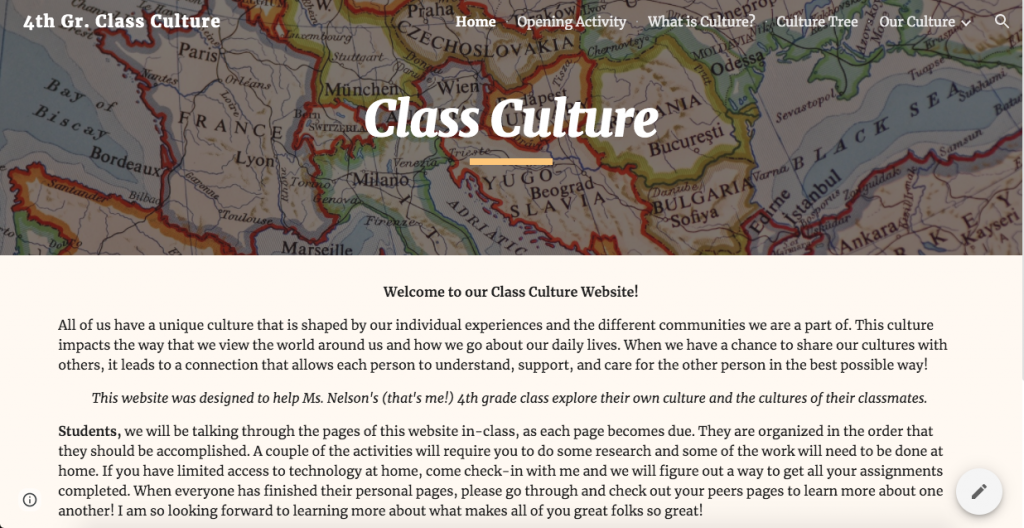
An important part of teaching is creating a positive classroom environment where students can feel safe taking risks, feel that their opinions are respected, and that they are a valued member of the community. In order to do this, teachers must work to be culturally responsive in everything they do. For my final project, I created a website designed to provide a platform for students to not only learn about “culture” as a concept, but dive deeper into their own culture, as well as learn about their classmates’ cultures and what makes them all unique. The goal of this lesson is to encourage a culturally responsive classroom: one where the teachers and the students have the ability to know and understand one another on a deep level in order to best communicate and relate, and create a safe and supportive classroom environment.

This website was designed for a 4th grade class, and is comprised of a series of activities which the students will work on at home, as well as in class. It could be used at any point in the year, but my idea would be to use it at the beginning of the year (ideally some time within the first month of school) as a way to build community and form relationships that will serve the teacher and the students for the rest of the year. This website will help the teacher to better understand their students, what makes them unique and how they view the world, therefore allowing them to teach in the most effective and relevant way to each student. It allows them to individualize instruction and encourages empathy for each student. It will also allow the students to get to know one another on a deeper level, and will encourage an environment of peer-to-peer support and connection, as well as immense socio-emotional development.

I used Google Sites because I felt that it best lended itself to the variety of activities that I was planning on having the students accomplish, and it allowed me to collect various other technology resources into one organized space. Using a website also encouraged a sense of sharing that I feel is integral to this unit. I wanted students to be able to read one another’s stories and get to know each other on a deeper level, and having everyone’s culture in a shared space allows them to do this. The students can access the website from anywhere, allowing them to not only share their stories with their peers, but with their families as well. Doing this project with technology also allowed me to create a diverse set of activities that would engage all learners. For example, using Flipgrid as a way to have students communicate their feelings about the project allows those students who may struggle with communicating their ideas in writing to flourish and still share their story. This kind of diversification is what the project is hoping to encourage, and promote. By using a website, students have the chance to connect and share their stories in a way that encourages diverse communication of ideas amongst peers in an authentic and sincere way.

Featured Image by Prawny from Pixabay

A story on bucket filling, bucket dipping & using your bucket lid

Using book creator I created a book that can be used for students age K-2. The lesson surrounding this book really focuses on what to do one another person—in the instance of the book another student—tries to dip into your bucket. If I wanted to make this more meaningful to the student as a lesson we could create the story as a class based on real scenarios they may need help working through.

Featured image: Pixabay