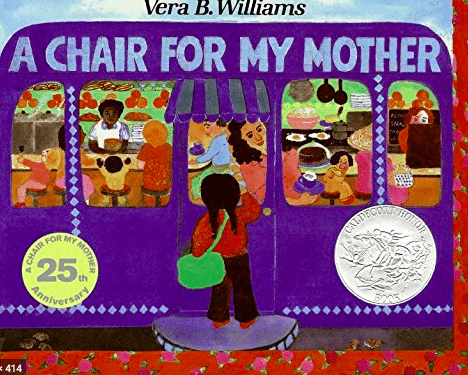
I created a video on Spark Adobe and in the video I am reading A Chair For My Mother by Vera B. Williams. I added the words on the page to also help them read along but there was a limit on how many words that I could put on a slide. I have seen and read about principals and teachers who read to their students and so I wanted to practice this. I enjoyed this app although I wish I would have been able to put all the words to match the pages I was reading. I also was almost done and it deleted all of the videos that I had uploaded but that could have just been my silly computer. The uploading process was super easy though! I think that this could be a great resource for teachers in many ways including reading to students and also to spice up a powerpoint even!
Why Did They Change Math?
It’s pretty common for a child to bring their math homework to their parents for help and receive an answer that is along the lines of “Why did they change math?!” With that in mind, I made a video for parents whose kids are learning the different methods of double-digit by double-digit multiplication. This video outlines the box and lattice methods so that parents can help their child with their math homework questions.
I think screencasts are a fun way to communicate content! I also think that they would be a really useful tool to use when needing to communicate content online because it provides some form of instruction that isn’t just reading.
Weeding Through The Web
For my screencast video, I decided to do a lesson on internet literacy and how to find reputable resources online. In our digital society, kids are being inundated with information they find online and it is important for them to know, especially when doing work for school, what information they can trust. I remember doing lessons on this when I was in high school, but I can see a need for these lessons at younger ages now, so I designed this lesson that would probably best suit 3rd – 6th graders.
I think screencasting is a really useful tool, especially considering the situation we are in currently where students cannot physically be in the classroom. This would be a great way for teachers to continue to present material, and students can work through it at their own pace on their time.
Featured Image by EstudioWebDoce from Pixabay
Making & labeling your google slides!
I used keynote PowerPoint and exported it into a movie in order to create this screen casted video on how I would show students in my classroom the important steps I would want them to do when creating a google slides. I think this video could be used for a second grade and above classroom when students have fully mastered the concept of logging into their google accounts. I think this type of activity is a great way to create and save an instructional video for students to refer back to. The one thing that was a challenge was figuring out how long to make each slide when it was exported into a movie.
Featured image by Pixabay
Hand Washing
I made this video to talk about the basic reasons we wash our hands. I liked this app in the way it is interactive and pretty easy to use. The characters on screen make it more fun and entertaining.
Toontastic Story
For this week’s assignment, I created a mini science experiment using Toontastic. I liked this software but I wish there was more customizability with how the characters faced and showed up on the screen. Overall, I think that kids would really like to use these for school assignments and would have a lot of fun creating movies.
Save Our Planet: Video Recap!
I have create a video through Adobe Spark to help 3rd graders learn more about saving the environment. I would ideally use this as a summary video after the main lesson. It would help students remember the main points of what they can do to help the environment. I would even post this on the classroom website for parents to see what their child has been learning in class.
I thoroughly enjoyed making my video on Adobe Spark because of the simple layout and easy tools. However, because it has such a simple layout, it can be tricky to make the video more personal and customizable. You would really need to play around with the different formats of each clip to make it look more unique. I did enjoy that Adobe Spark has copyright free images that you can import into the video, it makes it much easier than finding your own images.
Photo by Markus Spiske on Unsplash
“The 5Ws of 5th Grade” Informational Video
I used Adobe Spark to create a welcome video for the students who would be entering my class the next year. This video provides them with not only an introduction to who I am as their teacher, but also provides the students and the parents with important information that they will want to know before the first day of school (such as where the classroom is, and what they will be learning over the course of the year). I enjoyed this app and think it is extremely user friendly. I appreciated how the site pre-generates the credits at the end, so you don’t have to worry about citations. The templates can be a little restrictive, but I think they also helped to create a nice “look” for the video. I think teachers could use it as a resource for a lot of different activities, and could even encourage students to make one on a certain topic to demonstrate their learning.
Featured Image by Gerd Altmann from Pixabay
Where I’m From
By Braelyn Higdon
I am from waterfalls and hikes, to beautiful landscapes and views,
from sunny days on the river, to sunsets at the beach.
The Pacific Northwest has it all.
I am from Washougal, WA., and I grew up on a small farm.
I am from a loving family, full of care and support.
Surrounded by three older siblings, and a nephew on the way.
I am from dance every day, to competitions and performances on the weekend.
And now from University of Portland, with a new community of wonderful people and friends.
I think that using Adobe Spark Page was a quick and easy way to generate a very professional looking website. I think this would be a great tool to create an interactive lesson for elementary students as educators can include text, pictures, videos, and resources for students to use. Adobe Spark Page would also be a great way for students to create a presentation using a different format than Powerpoint presentations.
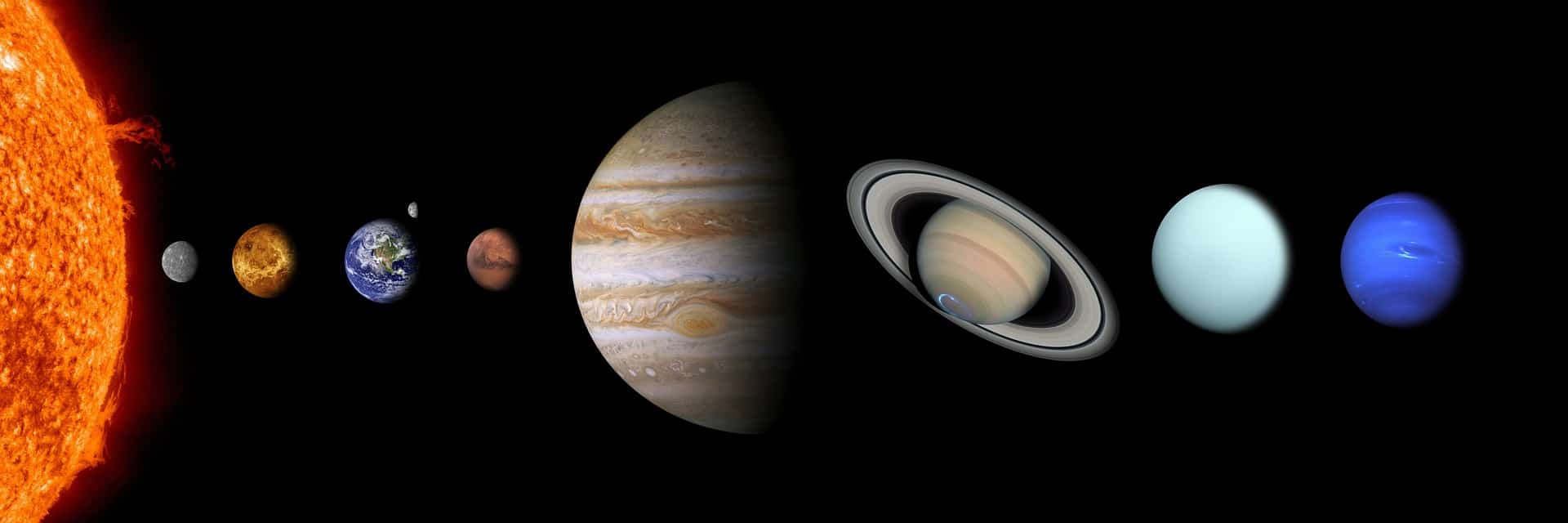
The Planets in Our Solar System
Using Adobe Spark I have created a mini lesson about the planets in our solar system. I think Adobe Spark is a cool tool to use when creating a lesson because it easily allows the teacher to easily create visuals for the lesson and shows the information in a fun way. I liked using Adobe Spark because of how easy it made everything, but I feel like it could include some more ways to really personalize the video you are trying to make.
Featured image by 024-657-834 on Pixabay
I am From
Why Are Schools Closing?
I wanted to use this assignment as an opportunity to tackle current events. Recently, schools all over the world are closing for a few weeks to practice social distancing amid the outbreak of the COVID-19 virus. I would imagine this is a very confusing time for children as it is also very confusing for adults. I made this video to talk about the closures in a child-friendly way.
I really loved using the Toontastic App. It was easy, fun, and I really liked how customizable it is. There are so many things this could be used for in the classroom, such as making a book report, history lesson, science experiment report, or telling a creative narrative. Kids will have no troubles using it and they could even work together to make content.
Photo by Akshay Chauhan on Unsplash