Equinoxes and Solstices Book

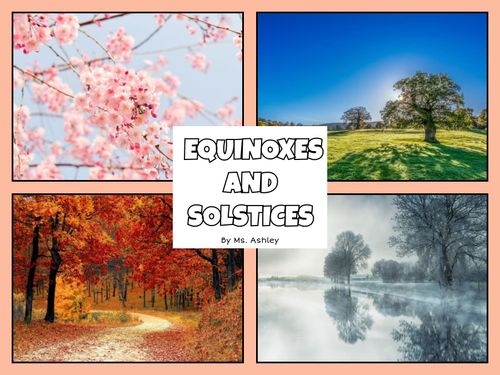
I created this book to introduce students to solstices and equinoxes, which became an idea after I was talking to students about seasons in my student teaching placement. Students understand that there are four different seasons, but they don’t necessarily understand why the seasons occur. Therefore, this book is intended to give them a little bit of background as to how Earth’s tilt and its positioning in relation to the sun affects season changes and why the hemispheres get opposite seasons. My target audience would be 4th grade, but 5th and possibly 3rd later in the year could also use this book.

I found Book Creator to be a relatively easy site to use. I liked how there was a built-in image search and that there were layouts I could choose from for picture layouts and headings. Overall, I enjoyed using Book Creator and think it would be a great resource for students to use as well.

Citations:

Photo by Kristopher Roller on Unsplash

Fraction Quiz and Oregon Adventure

Link for the Fraction Quiz: https://forms.gle/z8yHs1R1E24YqzLN7

This quiz is for 5th grade. I increased the difficulty of the questions as it went on. I did not add a description of each answer. I thought that this was fairly easy to make and grade. I would aim this to be in class and students will have a piece of paper to write out their answers and come to me for help. I would not rely on a Google Form quiz to determine if they knew the material or not. Overall, it does take time to adjust the settings to your liking, but it is convenient to use.

Link for the Oregon adventure form: https://forms.gle/HUoUsCR4sLDF1PNH6

This pathway Google Form was far more difficult and took more time. I hope to incorporate this into a 2nd/3rd grade Oregon state unit. My Kindergarten students have learned about the many wonders of Oregon but are a bit too young to understand the purpose of this form. I had a difficult time with creating the sections to correspond with the answers. I was able to get it after some time. However, I hope to integrate this form into a more in-depth writing/research activity. Students will complete this form and then do research about the Oregon adventure they ended up with. A drawing or printed out pictures are allowed, even a map will be great! Overall, I want them to be able to know more about the state of Oregon and its environment and natural wonders!

Forms of Learning

Google Forms is a great way to create assessments or engaging tasks for students. I think it’s a great tool to use because teachers can format them however they like, such as including different types of media and sections. I thought it was cool that you can format choices to go to specific pages rather than just go in numerical order. I think students would be able to understand how to use Google Forms, and since most of the schools I’ve been in use Google as their search platform, I think students would be able to access it easily.

Citations:

Photo by Susan Holt Simpson on Unsplash

I Am From Oʻahu

I am from a place
that you can drive around in a single day,
where everyone knows everyone
from the mountains to the bay.

I am from the middle of the Pacific Ocean,
where beaches are the best spot
and the lowest average temperature
is still considered hot.

I am from an island
that people travel to by plane,
and where the sun shines
even in the pouring rain.

I am from a valley.
where trade winds roam,
many family gatherings are held,
and where I’ll always call home.

The app I used was Microsoft Sway. I liked this app because there was an image search feature so I could upload non-copyright images straight through the site. I found it a little difficult to design the images with the text how I wanted them, but there were lots of different suggestions from Sway. Overall, the site was easy to understand and use.

Google Forms: Formed to Function

This is my Geology and Oceanography Quiz:

Here is my weather-based Branching Adventure:

Google Forms is a really interesting tool to be sure. Being a fillable and customizable form that collects data, organizes it, and even shows you different statistics based on said data, I could see this being extremely useful from a teaching perspective. As demonstrated here by my hastily built quiz, one could give their class a quiz either for fun, or as a genuine check on their understanding. Plus, it organizes each question for you so you will know how many students got some information incorrect, and who they were so that way you can help them learn these specific parts. Next, you can have your students have a little bit of fun themselves by creating these text- based adventures. This could be a wonderful exercise for student’s typing skills, as well as as excellent pass time for students during a party if you have them. Just create an adventure, assign it to their google classroom, and they’re off to the races with something to do during a class party or outdoor recess (that also builds their typing fluency, and reading comprehension skills!)

Sources:
Geology Quiz Header Image: Image by Sophie Maus from Pixabay
Branching Form Header Image: Image by Jörg Peter from Pixabay

Using Google Forms in The Classroom

I used google forms to create a quiz based on a lesson about Sea Turtles. Some information about sea turtles include how deep they can swim, their diet, fun facts, and parts of the reptile. The quiz includes the check, box feature, short answer, and multiple choice questions. It also includes videos and pictures to help guide the student throughout the quiz. Using the application was fairly easy as it included different types of questions, and gave the option of multiple answers as well as responses based on a student’s answers. I could easily integrate this into the classroom by creating self-graded tests that save the teacher tie on grading and also allow the students to get instant feedback on their tests without having to wait days and sometimes weeks for test or quiz results.

My second google form is a fun interactive form where students create their dream vacation based on a series of questions. They first will decide if they want to go somewhere “sunny or cold?” and then from there will be redirected to activities pertaining to that weather. The question includes multiple activity ideas, food choices, and places they could stay.

Featured Image

Photo by Polina Zimmerman: https://www.pexels.com/photo/photo-of-computers-on-wooden-table-3747473/

Exploring Google Forms Through Travel

I enjoyed exploring google forms! I think that google forms can be a very useful tool in the classroom. It can be useful to assess student’s knowledge but can also be used as a fun tool to help students learn.

I created a short quiz for 5th-grade students in ELA. I was inspired to do this as my students are currently working on activities similar to these, so I thought this could be used as an informal assessment to see where student’s knowledge is at. The quiz covers verbs and conjunctions.

I also created a choose your own adventure google form that allows students to take a spring break vacation. The students have the opportunity to choose a location to explore and are prompted with different fun facts and activities to interact with to explore the area.

Featured Image- Image by Stefan Schweihofer from Pixabay

Fraction story problems & a Class Party (basically the same thing right?)

Featured image: Image by Igor Ovsyannykov from Pixabay 

I think that google forms is a great tool to use in the classroom, and can be used in a variety of ways. Creating a quiz or a check in on google forms allows for students to get feedback on their work right away and also can be a huge time saver for teachers as it takes away the hassle of grading papers. Google forms can also be used for surveys which is a great way to do check-ins with students or for asking for their input!

Using google forms I created a survey for students to give input on what they would like to do for a class celebration. the survey has multiple sections allowing the teacher to see big trends and small trends and for the students voices to be heard.

I also created a quiz designed to be used as a check in to see how students are doing with fraction story problems. If the students get a problem incorrect they are given a video that shows them how to do it correctly.

SEL and Math Google Forms

Hi, this is Nicole Pagtakhan!

I know that math can be a hard subject (I’ve had my own share of evenings sitting at the dinner table with my dad crying over math homework) so I created Google Forms for a quick self-graded math quiz on multiplication/division fact families and a branching form for a Mood Meter.

This is my first time creating a Google Form, but I’ve used them for sending forms for appointments, surveys, and other instances. It’s very simple to use, which is a commonality between a lot of Google’s resources. I like that I can see the responses in different forms of data, such as bar graphs and pie charts, and I could see this being helpful when I want to do a check-in with students to see what they’ve learned so far. The data is especially useful to know what to reteach, or if I want to make pairs/groups based on strength in content. For emotion data, this is also helpful! I can get a read on my class very quickly, and it can be done at any point in the day if students want to add to it. This makes it easy to pick up on patterns, like if a student tends to come to class tired on a certain day of the week, I’ll be able to know and I can find ways to help them if it’s a common occurrence.


Mood Meter Check-In Form

Fact Families Quiz

Credits:

Image by Pexels from Pixabay

-Nicole Pagtakhan

Google Forms Extravaganza

A quiz!

Choose your dinner! Yummy…

There are a TON of ways to use google forms in a class, especially to take in data from your students about what they learned, reflections, check ins, or exit tickets. Especially with the feature where you can make them anonymous, the forms can be great ways to get a read on where the class it is, where they may have strengths, or possible weaknesses about a topic or how they are feeling. The diversity of the type of questions they offer would be particularly helpful when asking students things like how they felt about a lesson or show me how you feel right now using images, exc. I also never knew about the ‘choose your own adventure’ form which could be super fun for something like an escape room to do with the students, either educational or just fun. I would not use this as a formal assessments but there are many other possibilities that are more low stakes that I would definitely use it for. As long as students have access to this technology and were shown beforehand how to use it, I think that this could be so great!